Contact Form
Build an accessible HTML contact form with real labels, grouped controls, and browser validation.
The goal of this project is to teach you how to build a real, accessible HTML form. You will set up form controls, labels, validation attributes, and proper grouping — without any JavaScript. Do not style the page; styling will be addressed in a later project. Focus here on the form structure that the browser and the server actually rely on.
In this project, you are required to build a single HTML page containing a contact form. The page should follow this structure:
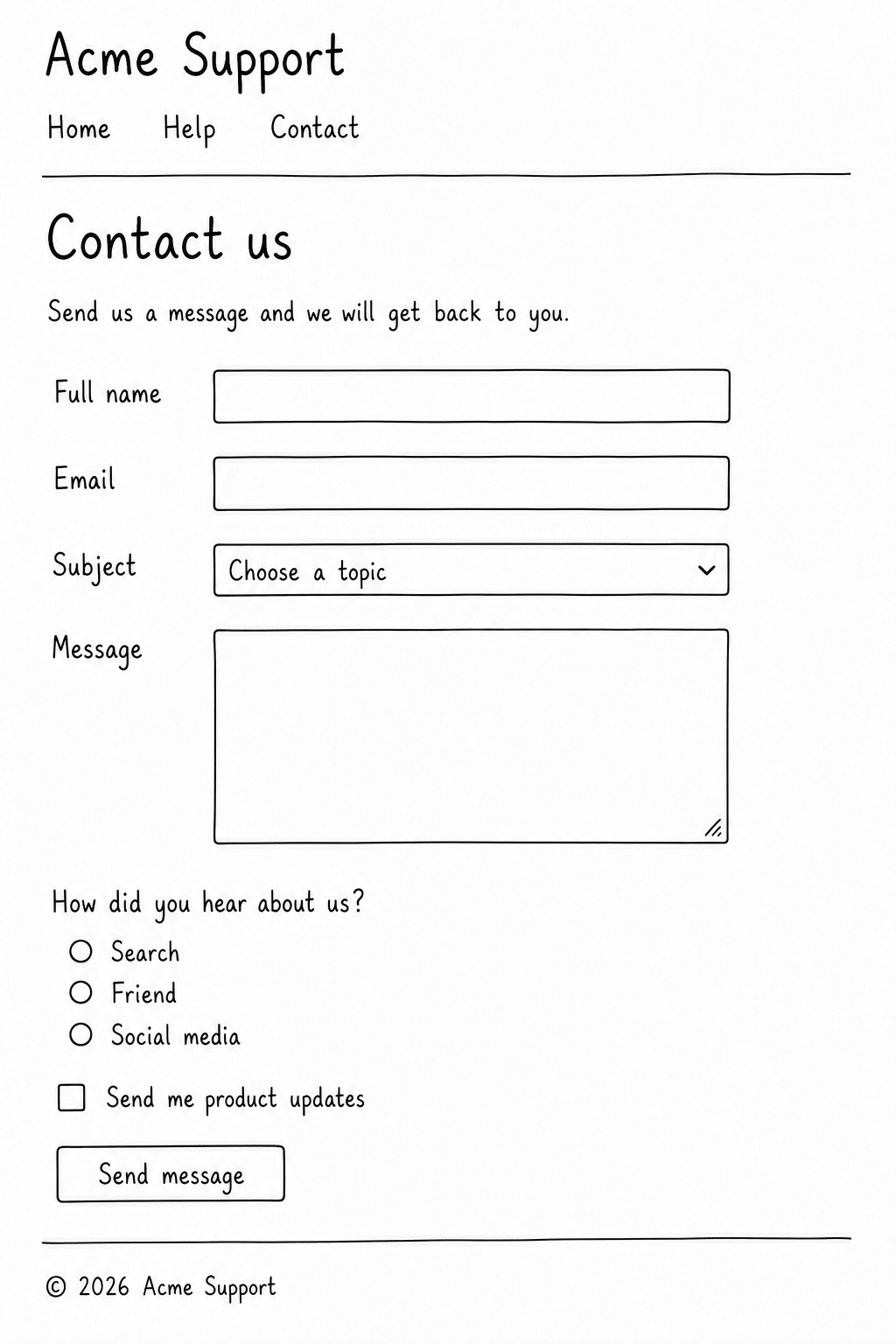
You do not need a real backend. The form should be wired up as if you did, so a server inspecting the submission would receive exactly the name and value pairs you expect.
Key requirements:
A
<form>element withactionset to a placeholder URL andmethod="post".Real labels for every input, paired by
forandid. A placeholder is not a label.The following fields:
Full name (
type="text", required).Email (
type="email", required).Subject (
<select>with at least three<option>s).Message (
<textarea>, required, with aminlength).A "How did you hear about us?" group using
<input type="radio">inputs grouped inside a<fieldset>with a<legend>.An optional newsletter
<input type="checkbox">.
A submit button with
type="submit"and clear text — no "click here".Browser validation attributes where appropriate (
required,minlength,type="email"). Remember these are a UX layer, not a security boundary; the server would still have to validate the data on its own.Head metadata: Set
<title>,<meta charset>, and<meta viewport>.
Submission Checklist:
A
<form>withactionandmethod="post".Every form control paired with a
<label>(eitherfor/idor wrapped).Required fields marked with
required.Radio buttons grouped in a
<fieldset>with a<legend>.A
<select>with at least three<option>s and a<textarea>with aminlength.A
<button type="submit">to send the form.Head metadata set correctly.
After completing the page, open DevTools, switch to the Network tab, tick "Preserve log", and submit the form. You will see the name and value pairs you defined turning into a real HTTP request — exactly the data a backend would receive. That habit of seeing "the form becomes a request" is one of the most useful instincts a backend or fullstack developer can pick up early.
